
![mcgraw hill homework help complete guide for students]](https://keffessays.com/wp-content/uploads/2025/10/mcgraw-hill-homework-help-featured-1080x630.png)
McGraw Hill homework help is one of the most searched terms by university students today — and it’s easy to understand why. McGraw Hill’s suite of digital platforms (Connect, SmartBook, ALEKS, LearnSmart) is notoriously demanding, and without the right strategy, it’s easy to fall behind fast. In this complete guide, you’ll learn exactly what actually works across every major McGraw Hill platform so you can submit confidently and stop dreading assignment night.
Whether you’re battling a timed Connect quiz, an ALEKS pie that refuses to fill, or a SmartBook module that keeps sending you backwards, this mcgraw hill homework help guide covers everything — practical platform strategies, subject-specific advice, and a weekly study plan that prevents last-minute panic.
What Is McGraw Hill and Why Do Students Struggle With It?
McGraw Hill is one of the largest educational publishers in the world, providing digital learning platforms used by thousands of universities across the UK and US. Its tools — particularly McGraw Hill Connect — are designed to make studying more adaptive and data-driven. In practice, though, students frequently find them frustrating, time-consuming, and poorly explained by instructors.
Here’s why Connect assignments, ALEKS modules, and SmartBook readings generate more support requests than almost any other academic platform:
- Adaptive technology doesn’t mean easier — ALEKS and SmartBook adjust to your performance in real time, so mistakes cost you more time, not less.
- Hard deadlines — Many Connect assignments have zero grace periods for late submission.
- No visible answer keys — Unlike traditional textbooks, McGraw Hill platforms rarely show worked solutions after you submit.
- Technical issues — Session timeouts, browser incompatibilities, and incomplete saves are widely reported.
- Wide subject coverage — The platform covers accounting, biology, economics, nursing, psychology, statistics, and more — each with its own complexity.
The good news: there are proven methods to navigate every platform more effectively. Let’s go through them.
McGraw Hill Homework Help for Connect Assignments
McGraw Hill Connect is the platform most students encounter first. It hosts graded homework, quizzes, and auto-marked assignments across hundreds of subjects. The first step in getting proper mcgraw hill homework help for Connect is understanding how the system actually scores your work — because it’s not what most students expect.
How McGraw Hill Connect Scoring Works
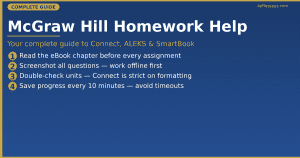
Connect grades assignments automatically using algorithmic answer matching — meaning slight variations in wording, rounding, or units can be marked wrong even when you’re conceptually correct. This catches a huge number of students off guard on their first assignment.
Key scoring rules to know:
- Numerical answers often require specific decimal places — always check the question instructions.
- Multiple-attempt questions give partial credit on later attempts — always attempt rather than skip.
- Some assignments use a “hint” system that reduces your score when used — read the rules before clicking hints.
Step-by-Step Strategy for Connect Homework
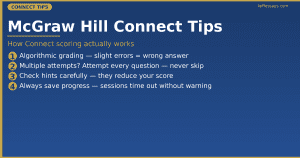
- Download the full assignment before starting — screenshot all questions so you can work through them offline before inputting answers.
- Read the eBook chapter first — Connect assignments are directly mapped to textbook chapters. The eBook is free through your Connect account.
- Use worked examples from the eBook — assignments frequently reuse the same problem structures as eBook examples, just with different numbers.
- Double-check units — For maths, science, and accounting, Connect is strict about units ($/£, kg/g, %, decimals).
- Save frequently — Connect has a known session timeout issue. Save your progress every 10 minutes.
When an assignment is genuinely beyond your current knowledge — especially in statistics, accounting, or biology — it’s completely legitimate to get support from a qualified academic writer. Get professional assignment support at KeffEssays — use code KE15 for 15% off your first order.
McGraw Hill Homework Help for SmartBook
SmartBook is McGraw Hill’s adaptive reading and learning tool. It assigns readings that change based on your responses — getting harder when you’re doing well and reinforcing weak areas when you struggle. Many students find their SmartBook strategy needs to be very different from their approach to Connect.
How SmartBook Adaptive Learning Works
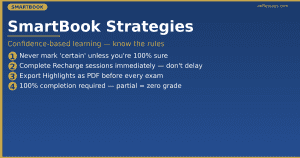
SmartBook uses a confidence-based learning model — it asks you to rate how confident you are in each answer, not just whether you got it right. This means being overly confident on wrong answers hurts your progress score more than being unsure on correct ones.
The system tracks which concepts you’ve “mastered” (shown in green) versus which are in “Learning” or “Recharge” zones. Your instructor can see exactly how long you spent and which sections you completed.
SmartBook Tips That Save Hours
- Never mark confidence as “certain” unless you’re sure — wrong + certain is the worst outcome in SmartBook’s algorithm.
- Complete Recharge sessions immediately — SmartBook re-tests previously learned content at intervals. Ignoring Recharge means redoing entire modules later.
- Use the Highlights & Notes feature — your highlights carry over to a printable study guide before exams.
- Don’t rush through readings — SmartBook tracks reading time per section. Spending less than 20 seconds on a page often triggers a re-test.
- Check your completion percentage — assignments are not complete until you hit 100%. Partial completion is graded as zero by most instructors.
According to Times Higher Education, adaptive learning platforms significantly improve student outcomes — but only when students engage actively rather than rushing through them.
McGraw Hill Homework Help for ALEKS
ALEKS (Assessment and Learning in Knowledge Spaces) is McGraw Hill’s AI-driven maths and science platform. It’s used heavily in statistics, accounting, chemistry, and pre-calculus. Of all the platforms, ALEKS generates the most urgent mcgraw hill homework help requests — because its adaptive pie system can feel genuinely endless.
Understanding the ALEKS Pie
ALEKS doesn’t assign traditional homework — it builds a personalised learning “pie” that maps every topic in your course. Your job is to fill the pie by mastering topics in the suggested order. The challenge: ALEKS regularly “decays” topics you’ve learned, pushing them back to incomplete if you don’t practise them enough.
The pie can feel like a moving target — especially in the weeks before exams when decay kicks in on topics from the beginning of term.
How to Make Real Progress on ALEKS
- Work on “Ready to Learn” topics first — these are topics ALEKS has unlocked based on what you already know. Jumping ahead wastes time.
- Take the initial assessment seriously — The ALEKS Knowledge Check at the start of each module sets your starting pie. Rush it, and you’ll be assigned work you already know.
- Use the Explain feature before attempting — ALEKS provides worked examples inside each topic. Reading the explanation first often contains the exact template you need.
- Work daily rather than in one large session — Research via Google Scholar confirms spaced repetition is most effective when review happens within 24 hours of initial learning.
- Set weekly pie percentage targets — aim for 10% pie completion per week. Falling behind is the primary reason students need emergency academic support in the final weeks of term.
If your ALEKS pie has grown unmanageable and deadlines are close, don’t leave it to chance. KeffEssays has subject specialists who understand the ALEKS system inside out and can help you get back on track.
Common Mistakes Students Make With McGraw Hill
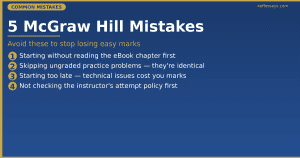
Getting the most from any McGraw Hill platform means understanding where students typically go wrong. These are the five most common mistakes that make students search for mcgraw hill homework help at the last minute — and exactly how to fix them.
Mistake 1: Starting Assignments Without Reading the Chapter
Connect and SmartBook are built around the textbook chapters. Students who jump straight into assignments without doing the reading typically score 20–30% lower than those who read first. The eBook is free through your Connect account — use it every time.
Mistake 2: Skipping the Practice Problems
Every McGraw Hill platform includes ungraded practice questions before the graded assignment. Most students skip these entirely. The practice problems are nearly identical to the graded ones — often with just the numbers changed. Completing them first dramatically cuts the time you spend on graded work.
Mistake 3: Starting Too Late
Connect assignments frequently have technical issues — slow loading, session timeouts, and browser incompatibilities. Students who start in the final 30 minutes before a deadline regularly lose work or miss the cut-off. Always begin Connect assignments at least 2–3 hours before they’re due.
Mistake 4: Ignoring the Instructor’s Attempt Policy
Some Connect assignments allow unlimited attempts; others allow only one. Students who assume they can go back and correct answers often lose significant marks. Always check the attempt count before starting any assignment. According to QAA (Quality Assurance Agency), understanding assessment rules before beginning is a fundamental academic competency.
Mistake 5: Working in Isolation
McGraw Hill platforms are hard. Study groups where students cross-check methods — not just share answers — consistently outperform lone learners. If your course doesn’t have a study group, create one in week one.
Building a Weekly Study Plan Around McGraw Hill
The most effective long-term strategy for managing McGraw Hill assignments is building a structured weekly plan before the pressure hits. Consistent scheduling is the single best form of mcgraw hill homework help you can give yourself. Here’s a proven template.
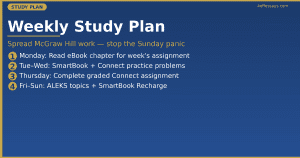
Weekly McGraw Hill Study Plan Template
| Day | Task | Time |
|---|---|---|
| Monday | Read eBook chapter for this week’s assignment | 45 mins |
| Tuesday | Complete SmartBook reading assignment | 30 mins |
| Wednesday | Work through Connect practice problems (ungraded) | 30 mins |
| Thursday | Complete graded Connect assignment | 45 mins |
| Friday | ALEKS — complete 2–3 pie topics | 30 mins |
| Weekend | SmartBook Recharge + review flagged topics | 20 mins |
This plan spreads McGraw Hill work across the week, preventing the Sunday-night panic that drives desperate last-minute searches for academic help. If your course load makes this plan unrealistic — multiple subjects, part-time work, or family commitments — KeffEssays can handle specific assignments while you focus on the material that matters most.
Subject-Specific McGraw Hill Strategies
The right approach to Connect or ALEKS varies significantly by subject. Here’s what works best in the most common areas.
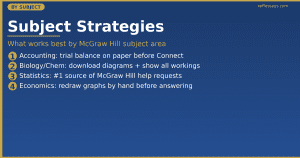
Accounting (Connect)
McGraw Hill dominates introductory and intermediate accounting courses. Connect accounting assignments test journal entries, financial statement preparation, and ratio analysis. The most effective approach:
- Master the chart of accounts before attempting any assignment.
- Prepare a trial balance on paper before inputting into Connect.
- Use the “Check My Work” feature after each section — not just at the end.
For complex accounting assignments, order expert accounting support at KeffEssays.
Biology and Chemistry
Connect Biology and Connect Chemistry assignments use diagrams, labelling tasks, and multi-part calculations. Key tips:
- Download all diagrams before starting — reference them offline.
- Use PubMed alongside your eBook for additional explanations of complex biological concepts.
- For chemistry, write all calculations on paper before entering values — Connect doesn’t allow you to show workings, but having them helps you trace errors.
Statistics
Statistics generates more mcgraw hill homework help requests than any other subject — by a significant margin. ALEKS Statistics and Connect Statistics cover probability, hypothesis testing, regression, and ANOVA. These topics are genuinely difficult, and many students find:
- The ALEKS explanations for statistics are less clear than for pure maths topics.
- The jump from introductory to intermediate statistics in Connect is steep.
If statistics is where you’re struggling, getting specialist support is a rational academic decision, not a failure. Get statistics assignment help from KeffEssays today.
Economics
Connect Economics tests microeconomic and macroeconomic analysis including supply/demand graphs, elasticity, and GDP calculations. Tips:
- Redraw all graphs by hand before answering graph-based questions.
- Use JSTOR for additional worked economics examples not covered in your eBook.
Using McGraw Hill Tools for Exam Preparation
McGraw Hill platforms aren’t just for homework — they’re powerful exam revision tools when used correctly. Here’s how to use the platforms’ own features strategically before assessments.
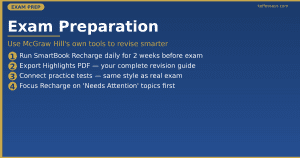
SmartBook Recharge for Exam Revision
SmartBook’s Recharge feature is essentially a built-in spaced repetition system. In the two weeks before an exam:
- Run Recharge every day — it takes 15–20 minutes and covers every concept from the module.
- Export your Highlights as a PDF study guide — SmartBook lets you export all highlighted passages from the term.
- Focus Recharge time on “Needs Attention” topics — these are the gaps most likely to appear on your exam.
Connect Practice Tests
Many instructors set up optional practice tests in Connect before the graded exam. These are invaluable — they use the same question style and topic weighting as the real assessment. If your instructor hasn’t set one up, check the Connect Library tab for pre-built subject practice tests.
According to Oxford University’s academic skills guidance, consistent retrieval practice — testing yourself repeatedly rather than re-reading notes — is one of the highest-impact study strategies. McGraw Hill’s platforms are built around exactly this principle.
When to Get Professional McGraw Hill Homework Help
There are moments when self-study strategies simply aren’t enough — and recognising them early is a smart academic decision. Seek professional mcgraw hill homework help when:
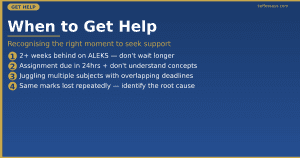
- You’ve fallen more than two weeks behind on your ALEKS pie progress.
- A Connect assignment is due in under 24 hours and you don’t understand the core concepts.
- Your subject (statistics, accounting, chemistry) requires specialist knowledge you haven’t yet been taught.
- You’re juggling multiple subjects with overlapping McGraw Hill deadlines.
- You’ve attempted an assignment multiple times and keep losing marks in the same areas.
KeffEssays has expert academic writers with deep experience in McGraw Hill subjects across both UK and US curricula. Whether it’s a Connect accounting assignment, an ALEKS maths module, or a SmartBook statistics reading, our team provides tailored support — delivered on time, every time. We’ve been supporting students since 2012.
📌 Get Expert Assignment Support — Use Code KE15 for 15% Off Your First Order →
Free Resources for McGraw Hill Assignment Support
Before paying for help, it’s worth knowing the free resources available:
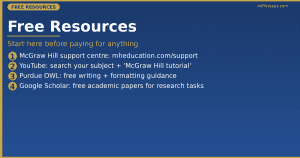
- McGraw Hill’s own support centre — mheducation.com/highered/support has tutorials for every platform feature including Connect, SmartBook, and ALEKS.
- YouTube — Search “McGraw Hill Connect [your subject] tutorial” for hundreds of walkthrough videos on popular subjects.
- Your university library — Many UK and US university libraries provide supplementary textbooks that mirror McGraw Hill content.
- Purdue OWL — Purdue OWL provides free writing and academic formatting guidance that supplements many Connect writing assignments.
- Google Scholar — Google Scholar provides free access to millions of academic papers for research-based assignments.
- Your course instructor — Office hours exist specifically for these kinds of questions. Most students never use them. Those who do get better grades.
Still stuck after trying the free resources? KeffEssays is here when you need it — fast, affordable, and fully confidential.
Frequently Asked Questions — McGraw Hill Homework Help
Is McGraw Hill Connect homework graded automatically?
Yes. Connect grades the vast majority of assignments automatically using algorithmic matching. Your instructor can see your attempt history, time spent, and individual question scores. Some assignments allow manual grading for open-ended questions.
Can I retake a McGraw Hill Connect assignment?
This depends on your instructor’s settings. Some assignments allow unlimited attempts, others only one. Check the attempt count shown on the assignment page before you start. If you’re unsure, email your instructor before beginning — not after a failed attempt.
How do I access the McGraw Hill eBook?
Log in to your Connect account, go to your course, and look for the “eBook” tab or book icon in the top navigation. The eBook is included with your Connect subscription at no extra cost.
Why does ALEKS keep un-learning my topics?
ALEKS uses spaced repetition algorithms that intentionally “decay” learned topics over time to ensure genuine long-term retention. The fix is to work on ALEKS regularly — daily or every other day — rather than in one large session.
Is it safe to get professional mcgraw hill homework help?
Getting academic support for difficult assignments is a widely used strategy among students. KeffEssays provides expert assistance in a completely confidential manner — your privacy is protected at every stage. We’ve supported students since 2012 with a full confidentiality policy.
What subjects does McGraw Hill Connect cover?
McGraw Hill Connect covers accounting, biology, chemistry, economics, statistics, psychology, nursing, business, marketing, finance, physics, and many more. The platform is used by universities across the UK, US, Canada, and Australia.
How long does McGraw Hill take per week?
Most students report spending 3–6 hours per week across Connect, SmartBook, and ALEKS. Heavy ALEKS courses (statistics, chemistry) often require 6–10 hours per week, especially during catch-up periods.
Where can I find worked solutions for McGraw Hill assignments?
McGraw Hill does not publish official answer keys for student access. The best legitimate sources are: (1) your eBook’s worked examples, (2) the platform’s built-in hints and explanations, (3) your instructor’s office hours, and (4) professional academic support services like KeffEssays for difficult assignments.
Final Thoughts: The Smart Approach to McGraw Hill
McGraw Hill’s platforms are demanding by design — they’re built to push students beyond passive reading into active learning. But “active learning” doesn’t mean struggling alone in silence at 2am.
The students who get the best outcomes are those who read before assigning, use built-in tools (hints, practice, Recharge), plan their workload before deadlines hit, and know when to ask for qualified mcgraw hill homework help. You don’t have to choose between your grade and your sanity.
KeffEssays has provided expert academic support since 2012 — across every McGraw Hill subject, for both UK and US students.
📌 Ready to stop struggling? Get expert support now. Use code KE15 for 15% off your first order →
Operating since 2012 · Confidential · Subject-matched experts · UK & US students welcome